Form 1099-G
Certain Government Payments
State and local agencies report unemployment compensation, tax refunds and other government payments on Form 1099-G. The 2026 revision adds family leave benefits in box 10; the editor shows the right boxes for the year you choose.
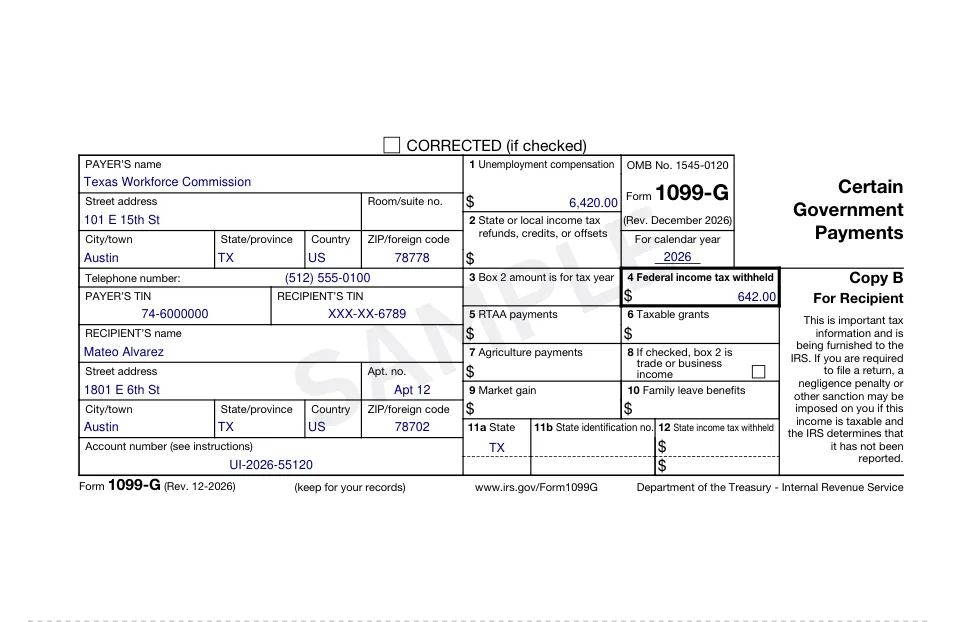
What it reports
- Unemployment compensation
- State or local income tax refunds, credits or offsets
- Taxable grants, agriculture payments, RTAA payments, market gain and, from 2026, family leave benefits
What you'll get
- Recipient copies (Copy B and Copy 2), the official IRS edition for the tax year, as a PDF per recipient
- Your file copy (Copy 1) in the same PDF
- A ZIP with every PDF when you prepare several
- Downloads on your order page for 30 days, plus an email link
Copy A, the copy filed with the IRS, is filed electronically (for example through the IRS IRIS portal) or on the official scannable form, so it is not included.
How it works
- 1Enter the information once; add every recipient you need.
- 2Check the official form, filled in, in the live preview.
- 3Pay once and download your PDF right away.
Questions
What goes in box 3?
The tax year the box 2 refund, credit or offset is for, written as a four-digit year. Leave it blank when box 2 is empty.
Why do the state boxes have different numbers in 2025 and 2026?
The December 2026 revision added box 10, so the state boxes moved from 10a, 10b and 11 to 11a, 11b and 12. You enter the same state information; it prints in the right boxes for the edition.
Which tax years can I prepare Form 1099-G for?
2025 and 2026. Each year uses the IRS edition in effect for it, and the preview shows exactly that edition.
How much does Form 1099-G cost?
$9.99 per recipient, paid once at checkout. There is no account, subscription or extra fee, and you see the full filled form before you pay.